
Introducing the Building Management Portal
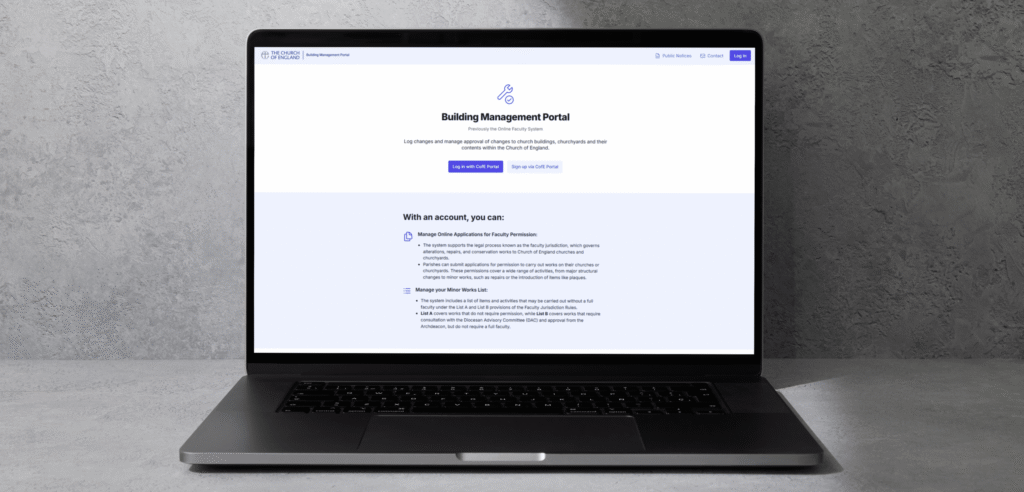
The Church of England’s new Building Management Portal replaces the Online Faculty System, which has now closed to users. The Building Management Portal will open in mid October, but is not accessible to parishes in the Diocese of Southwark before then. It is currently being piloted by four other dioceses, and is only in use for their applications at present.
What is the Building Management Portal?
The Building Management Portal is web-based and designed to provide an electronic system for making and tracking applications right through from seeking initial advice from the DAC to receiving the Faculty from the Chancellor. You are able to fill in online versions of the application forms and Statement of Need, populate your Statement of Significance, and upload any supporting documents.
Moving from the Online Faculty System
All ongoing and historic cases will have been transferred from the Online Faculty System into the Building Management Portal, without the need for resubmission. The new system is intended to make it easier to navigate the process and has other improvements such as autosaving information entered and easier uploading of documents.
The last day you can access the Online Faculty System for editing cases will be 28 September 2026 (up until 5pm). After this date, users will not be able to log in to the OFS to progress applications, and the old system will be shut down.
Any account/login details for existing OFS users will not work on the new Buildings Management Portal – please read the User Guide in the next section to find out how to register for and use the Building Management Portal.
Please check your email-provider does not block the automated email-notifications from the new Buildings Management Portal, as this will result in you missing future communications about the system and your casework.
Find the Building Management Portal here.
For more information, parish users in our diocese should read through the resources and FAQs on this page, or check the Church of England website.
Resources for further support
Please follow the guidance on this page to sign up for and use the new system, or to contact the DAC team with any question.
Building Management Portal User Guides
How to register for the Building Mangement Portal
Download FileMaking a List A application – Building Management Portal User Guide
Download FileMaking a List B application – Building Management Portal User Guide
Download FileManaging my account – Building Management Portal User Guide
Download FileInstructional videos
Before contacting the team with queries, we would ask that you please ensure you have watched the relevant training video(s) below.
Assistance with commonly-encountered issues
Our troubleshooting guidance provides assistance for commonly-encountered issues for parish applicant users of the new portal.
Contacting the DAC team with enquiries
To ask questions or report any problems about the new portal, please contact the DAC team at Trinity House, and Katie Jenner (Assistant DAC Secretary) or Luke Tatam (DAC Secretary) will do their best to assist with enquiries. Please provide your name, email address, role, parish and church, and case reference if relevant. Screenshots of – and/or a link to – the specific webpage within the new portal, will be particularly useful.
FAQs
Is the legal process changing?
No. The faculty, List A, and List B processes remain in place. The Building Management Portal provides a new digital route for managing those processes.
What is happening to the Online Faculty System?
The Building Management Portal is replacing the Online Faculty System. Existing and historic case information will be migrated into the new portal.
Will I need a new login?
Yes. Users will now access the Building Management Portal through the CofE Portal. If you do not already have a CofE Portal account, you may need to create one.
Does two-factor authentication apply?
Yes. CofE Portal access includes two-factor authentication, for example through an app on your phone. This additional security helps protect user accounts, case records, and personal data.
Will I need to register for BMP?
Yes, once logged in to the CofE Portal, users in Southwark Diocese will need to complete a one-time registration process. This helps the system link the user to the correct role, church, and diocese.
What if I cannot see my church?
This may mean your account has not yet been linked to the correct role, church, or diocese, or that your access is still awaiting approval. Contact the DAC team with your email address, church, expected role, and details of what you can or cannot see.
What if I can see too many churches?
This may mean your role has been assigned too broadly. Contact your DAC Secretary or diocesan BMP contact and explain which churches you can see and which church or churches you expected to access.
Will existing cases be moved across?
Existing and historic cases from the Online Faculty System will be migrated into the Building Management Portal, without the need for parish user input or resubmission. The Diocese has been helping check imported information during onboarding and testing.
Who should users contact for help?
Parish users should contact the DAC team for support in the first instance. Issues identified with the system itself will then be formally managed through the national support-desk.
Will training be provided?
Yes. Some videos guidance is available. Further material and updates to existing guidance will be developed and provided in due course, once parish user feedback is gathered during the early rollout of the new system.
What should I report if something does not work?
Please provide your name, email address, role, diocese, church, case reference if relevant, what you expected to happen, what actually happened, and screenshots where useful.
This will enable the DAC team to assist with queries or report them to the national support-desk.
