


If your church uses Give A Little for fundraising, you may already know the basics of its reporting tools. This guide will help you get the most out of the platform so you can maximise both Gift Aid and Gift Aid Small Donations Scheme (GASDS) claims.
Find out more about Gift Aid, which allows taxpayers to increase the value of their donations by 25% by claiming back the basic rate of tax on their giving from the government.
Check if your campaign collects Gift Aid
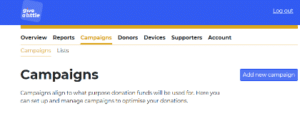
If you are unsure if your Give a Little campaign collects Gift Aid:
|
|
|
|
|

|
|
|
|

|

Enabled givers will be prompted to complete a Gift Aid declaration after donating. They can either fill in their details immediately on the device or send themselves an email to complete later.
All Gift Aid declarations and eligible donations are stored in your Give A Little portal, ready for reporting and claiming.
Locating your Gift Aid Reports
Once logged into Give a Little there will be a heading in the top bar labelled Reports with a secondary bar underneath labelled Gift Aid.

Here you can filter by date to view:
- Number of Gift Aided donations
- Total value of Gift Aided donations
- Dates of donations
- Donor details

At the bottom of the page, you’ll see two export options:
Exporting (blue button): downloads all data into a general spreadsheet
Exporting for HMRC (yellow button): creates a file formatted specifically for HMRC Gift Aid claims.
These exports significantly reduce admin time by organising this data for you.
Locating potential GASDs
Give a Little also helps identify eligible donations for the Gift Aid Small Donations Scheme (GASDS).
To access this, under Reports select Small Donations Scheme from the second bar.

On this page you can:
- Select a date range to view eligible small donations.
- See the total number of donations and the amount you can claim.
- Export the eligible donations using the blue Export button.
You can also mark donations as claimed, helping you track what has already been submitted and avoid overclaiming.
Specific Campaign Data
If you are looking for data about a specific campaign, Gift Aid information can also be found under Reports Campaigns. In the campaign details you should see a screen like this:

On this page you can view and export campaign specific Gift Aid data.
With Give a Little collecting data for your Gift Aid and GASDS, maximising your Gift Aid Claims should be easy. However, if you need any support with this please contact the Giving Team who would be happy to help.